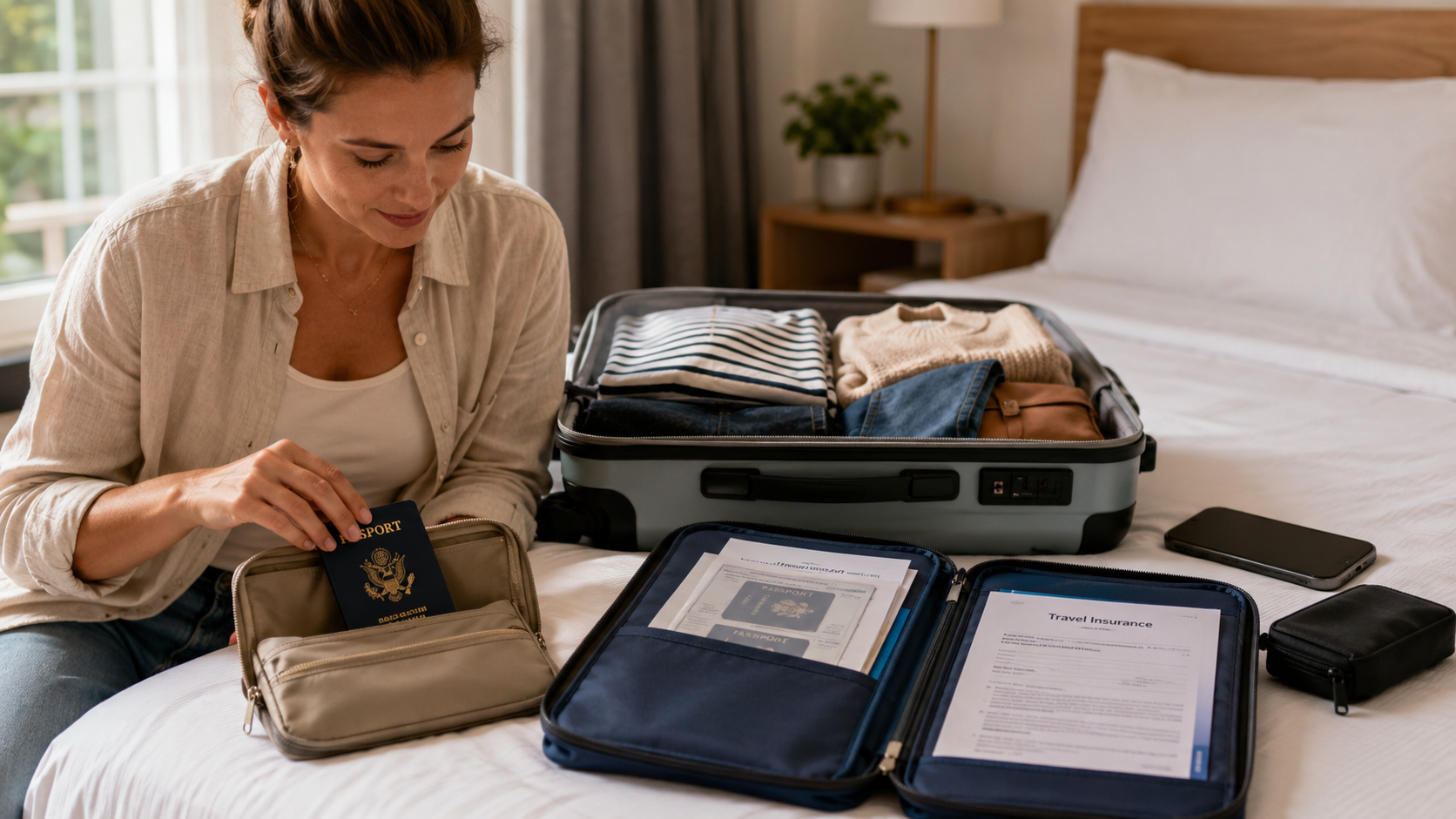
Why You Should Store Passport Copies and Travel Insurance Documents Separately Before You Travel
Minjin Park
·
Keeping copies of your passport and travel insurance documents in separate places can make lost bags, stolen wallets, and travel disruptions easier to handle. Learn simple, practical ways to organize them before your trip.
Most travelers spend a lot of time thinking about what to pack. Clothes, chargers, medications, shoes, toiletries, adapters, and maybe a neck pillow all make the list.
Your passport and travel insurance documents are two of the most important items you may carry on an international trip. Your passport helps prove who you are and where you are from. Your travel insurance information helps you understand who to contact if you need help with a covered travel problem, medical issue, lost luggage, delay, or cancellation.
The problem is that many people keep everything in one place.
Passport in the wallet. Insurance card in the same wallet. Printed itinerary in the same bag. Digital copies only on the phone. Phone in the same backpack. Backpack under the airplane seat, hotel chair, or rental car seat.
That setup feels convenient until the bag is lost, the phone dies, the wallet disappears, or the hotel Wi-Fi does not work.
Keeping passport copies and insurance documents in separate places is not about expecting disaster. It is about giving yourself a backup when travel gets messy. A few minutes of preparation before leaving home can make an unexpected problem much easier to handle.
Why Document Copies Matter During Travel
They help you access key information quickly
When something goes wrong during a trip, the first challenge is often not solving the whole problem. It is finding the information you need.
What is your passport number? When does it expire? What is your insurance policy number? What is the emergency assistance phone number? Does your plan have a 24-hour contact line? Who is your travel provider? Where is the nearest embassy or consulate?
If all of that information is buried in a missing bag or locked inside a dead phone, even a simple issue can feel overwhelming.
Copies give you a way to recover basic details quickly.
They can support identity and travel documentation steps
A passport copy does not replace your actual passport. It is not a magic travel document, and it usually cannot be used the same way as the original.
But it can still be useful.
A copy may help you fill out forms, provide accurate passport information, speak with your airline, contact your embassy or consulate, or explain your situation to a travel provider. It can also help you avoid guessing details under stress.
The copy is not the solution by itself. It is a helpful tool that makes the next step easier.
Insurance documents are only useful if you can find them
Many travelers buy travel insurance and then forget where the documents are stored. The policy confirmation may be in an old email, a PDF download, a travel portal, or a printed folder at home.
That is not very helpful when you are standing at a hotel desk, airport counter, clinic reception area, or baggage service office trying to figure out who to call.
Travel insurance documents should be easy to access during the trip, not just available somewhere in your inbox.
Why Storing Everything Together Can Backfire
One lost bag can mean losing every backup
A common travel mistake is packing all important documents in one “safe” folder. It feels organized, but it creates a single point of failure.
If that folder is inside a backpack and the backpack is lost, stolen, or left behind, you may lose your passport, passport copy, insurance card, hotel details, and emergency contacts all at once.
The same problem happens when everything is stored on one phone. If the phone is lost, damaged, stolen, or out of battery, the digital copies are suddenly out of reach.
Separate storage gives you options.
Travel days are chaotic
Airports, train stations, border crossings, ferry terminals, hotels, and rental car counters can all be busy. You may be tired, rushed, jet-lagged, or managing children and luggage.
That is when items get misplaced.
A passport may be placed in a jacket pocket during security screening. A wallet may stay in a taxi. A phone may be left charging near a gate. A tote bag may be forgotten in a café.
These mistakes happen to careful people because travel days involve constant movement. A backup plan should assume that humans are human.
Stress makes details harder to remember
If your passport or insurance card goes missing, you may think you will remember the important details. In reality, stress makes memory less reliable.
You might forget the passport number, policy number, claim contact, or even which company issued your travel insurance. You may also have trouble accessing email if two-factor authentication depends on the phone you lost.
Copies reduce the amount you need to remember when your brain is already overloaded.
What Documents Should You Store Separately?
Passport identification page
The most useful passport copy is usually the photo and information page. This page includes your name, passport number, date of birth, issue date, expiration date, and nationality.
You do not need to carry multiple full photocopies of every page. The main identification page is the key item for most backup purposes.
For extra privacy, keep copies stored carefully and do not leave them loose in public places.
Travel insurance certificate or summary
Your travel insurance documents may be long, but you do not always need the entire policy printed for quick access.
At minimum, keep the policy number, insurance company name, emergency assistance phone number, claims contact information, coverage dates, and names of covered travelers.
You can also keep the full policy saved digitally in a secure location for reference.
Emergency contacts
Create a short emergency contact sheet. Include a trusted person at home, your travel companions, your accommodation contact, your airline or tour provider, and any important medical or accessibility information you feel comfortable carrying.
Keep it simple. The goal is to make useful contacts easy to find.
Visa or entry documents if needed
If your destination requires a visa, electronic travel authorization, entry approval, vaccination record, or special permit, keep backup copies of those too.
Rules vary by destination, so check your travel requirements before leaving.
Itinerary and accommodation details
A copy of your itinerary can help if your phone dies, your email is inaccessible, or you need to show where you are staying. Include flight numbers, hotel addresses, booking references, and local contact numbers.
This does not have to be fancy. A one-page travel summary can be enough.
Better Ways to Store Copies
Keep one paper copy separate from the passport
If your passport is in your money belt, crossbody bag, or hotel safe, keep a paper copy somewhere else. That might be a different bag, a suitcase lining pocket, or with a trusted travel companion.
Do not store the original passport and the copy together. The whole point is separation.
Use a simple envelope or folder so the copy does not get damaged. Avoid leaving it visible in a backpack pocket or hotel room.
Store a secure digital copy
A digital copy can be very useful, especially if your paper copy is lost. Save it somewhere you can access from another device if needed.
That may be a secure cloud folder, password manager, encrypted file storage, or a protected email folder. Choose a method you understand and can actually use while traveling.
Avoid saving sensitive documents in an unlocked photo gallery if your phone has weak security. Use a strong passcode and consider the privacy risks of any storage method.
Share a copy with someone you trust
For longer or international trips, consider leaving a copy with a trusted family member or friend at home. This person does not need access to everything, but they can help if you lose your own copies.
Let them know where the documents are stored and how to reach you.
Choose someone reliable and respectful of your privacy.
Keep insurance contacts offline
Do not rely only on your email inbox. Write down the insurance assistance number and policy number on a small card or travel sheet.
If you are in a place with poor Wi-Fi or roaming issues, an offline copy can save time.
Use more than one backup method
A good system usually includes both paper and digital backups. Paper works when your phone dies. Digital works when your paper copy gets wet, lost, or packed in the wrong bag.
You do not need ten copies. You just need a few thoughtful backups in different places.
Common Mistakes Travelers Make
Taking photos but not organizing them
Many people take a quick photo of their passport and assume they are prepared. Then, when they need it, the image is buried between food photos, screenshots, receipts, and vacation pictures.
If you use digital copies, organize them clearly. Save them in a labeled folder before the trip. Make sure you can find them quickly.
Keeping copies only in email
Email is helpful, but it is not foolproof. You may lose access if your phone is gone, your account asks for verification, or the internet connection is poor.
Email can be one backup, but it should not be the only one.
Packing copies in checked luggage only
Checked luggage can be delayed, lost, or inaccessible during part of your trip. Do not keep your only copies in a suitcase you will not have with you.
Keep at least one backup in your carry-on or personal item, separate from the original passport.
Forgetting about travel companions
If you are traveling with a spouse, children, friends, or older relatives, each person’s documents matter. Parents should have copies of children’s passports and insurance details. Group travelers should know how to access their own information, not only rely on one person.
One organized person should not become the only backup for everyone.
Not updating old copies
An expired passport copy or old insurance policy may create confusion. Before each trip, check that your copies match your current documents.
This is especially important if you recently renewed your passport, changed your name, bought a new insurance plan, or adjusted travel dates.
Warning Signs Your Document System Is Too Fragile
Everything is in one bag
If your answer to “Where are my important documents?” is “all in my backpack,” your system needs a backup.
Convenience is helpful, but not when it creates one point of failure.
You cannot find your insurance number quickly
Before leaving, test yourself. Can you find your policy number and assistance contact within one minute?
If not, organize it better.
Your phone is the only copy
Phones are useful, but they are also easy to lose, break, drain, or lock. If your phone is the only place your documents exist, add another backup.
Your travel partner does not know the plan
If you are traveling with someone else, they should know where backups are stored. If something happens while you are separated, they should not be completely lost.
Your documents are mixed with clutter
If passport copies, receipts, boarding passes, hotel printouts, and random notes are all stuffed together, important information may be hard to find. Keep the most important documents in a clearly labeled spot.
Simple Steps to Prepare Before a Trip
Step 1: Make clean copies
Photocopy or scan your passport information page. Save your travel insurance certificate or summary. Create a short emergency contact sheet.
Make sure the copies are clear and readable.
Step 2: Create a travel document folder
Make one digital folder for the trip. Include passport copy, insurance summary, itinerary, hotel confirmations, visa documents if needed, and emergency contacts.
Print only what you truly need. A huge stack of paper is harder to manage.
A practical paper set may include your passport copy, insurance contact summary, itinerary, and key emergency contacts.
Step 4: Separate originals and copies
Keep your original passport in the safest place available for the situation. Keep the copy in a different bag or with a trusted companion.
Do not store the original and copy in the same wallet or pouch.
Step 5: Test access before leaving
Open the digital files from your phone. Check that they are readable offline if possible. Confirm that you know the password or access method.
Ask yourself, “Could I find this if I were tired, stressed, and standing in an airport?”
If the answer is no, simplify the system.
Real-Life Examples
Imagine arriving at a hotel after a long international flight. You reach for your passport and realize your travel pouch is missing. If you have a passport copy in another bag and a digital copy stored securely, you can start taking practical steps instead of trying to remember every detail from memory.
Or picture a traveler whose checked bag is delayed. Their insurance documents and hotel confirmations are inside that suitcase. If they had saved the policy number and assistance contact on their phone and in a paper backup, they would be in a better position to ask questions and understand next steps.
Another common example is a family trip. One parent keeps every passport, boarding pass, and insurance document in one backpack. The backpack gets left in a taxi. Suddenly, the whole family’s documents are gone together. Separating copies among bags or adults would not solve everything, but it would make the situation easier to manage.
These examples are not extreme. They are ordinary travel problems made easier by simple preparation.
Tips for Families and Group Travel
Give adults access to key details
If two adults are traveling together, both should know where documents are stored. Do not rely on one person to manage everything.
Share the insurance contact number, hotel address, and emergency contact list with all responsible adults.
Prepare child document copies carefully
For children, keep passport copies and insurance details organized with the adult responsible for them. If parents or guardians may separate during the trip, think through who needs access to what.
Use a shared but secure system
For group trips, a secure shared folder can help. Include itinerary details, accommodation addresses, emergency contacts, and insurance information that applies to the group.
Be careful with sensitive personal documents. Share only what is necessary with people you trust.
Keep paper copies simple
Families already carry a lot. Do not create a giant binder if you will never use it. A few essential pages, stored securely, are usually more practical.
Privacy and Security Considerations
Treat copies like sensitive documents
A passport copy contains personal information. Do not leave it lying around in a hotel room, café, rental car, or airport lounge.
Store paper copies inside a bag, folder, or locked space when available.
Protect your phone
If your documents are stored digitally, your phone security matters. Use a strong passcode, enable device tracking features if you are comfortable with them, and avoid sharing your unlocked phone casually.
Be careful on public Wi-Fi
Avoid uploading, downloading, or sending sensitive documents over public Wi-Fi unless you are using a secure method you trust. If you need to access documents, use the safest connection available.
Delete old copies when no longer needed
After the trip, review where copies were stored. Delete unnecessary digital copies from temporary folders, downloads, or shared locations. Shred paper copies you no longer need.
Preparedness should not turn into long-term clutter or privacy risk.
A Quick Pre-Travel Document Checklist
Before leaving home, check that you have your original passport, a paper copy stored separately, a secure digital copy, travel insurance policy number, insurance assistance contact, emergency contacts, itinerary, accommodation details, and any visa or entry documents required for your trip.
Then check one more thing: can you access the most important information without your main bag or your main phone?
That question is the heart of the whole system.
Conclusion
Storing passport copies and travel insurance documents separately is a small habit that can make a big difference during travel disruptions. It helps you avoid relying on one bag, one phone, one folder, or one person for everything.
Your passport copy does not replace your passport. Your insurance summary does not solve every travel problem. But both can help you find important details quickly, communicate clearly, and take the next practical step when travel does not go as planned.
Before your next trip, make clean copies, organize digital files, print a small backup set, and store them separately from the originals. Keep insurance contact details easy to find. Share key information with a trusted person when appropriate. Protect your privacy and update copies before each trip.
Travel always involves a little uncertainty. A simple document backup system gives you one less thing to worry about and a little more confidence wherever the journey takes you.
Hi, I’m the creator and editor behind ZestyHabit. I research everyday safety, first aid, and practical wellness topics using official guidance and reliable public sources, then turn that information into clear, realistic steps for daily life.
My goal is to help readers make safer, better-informed choices at home and beyond.