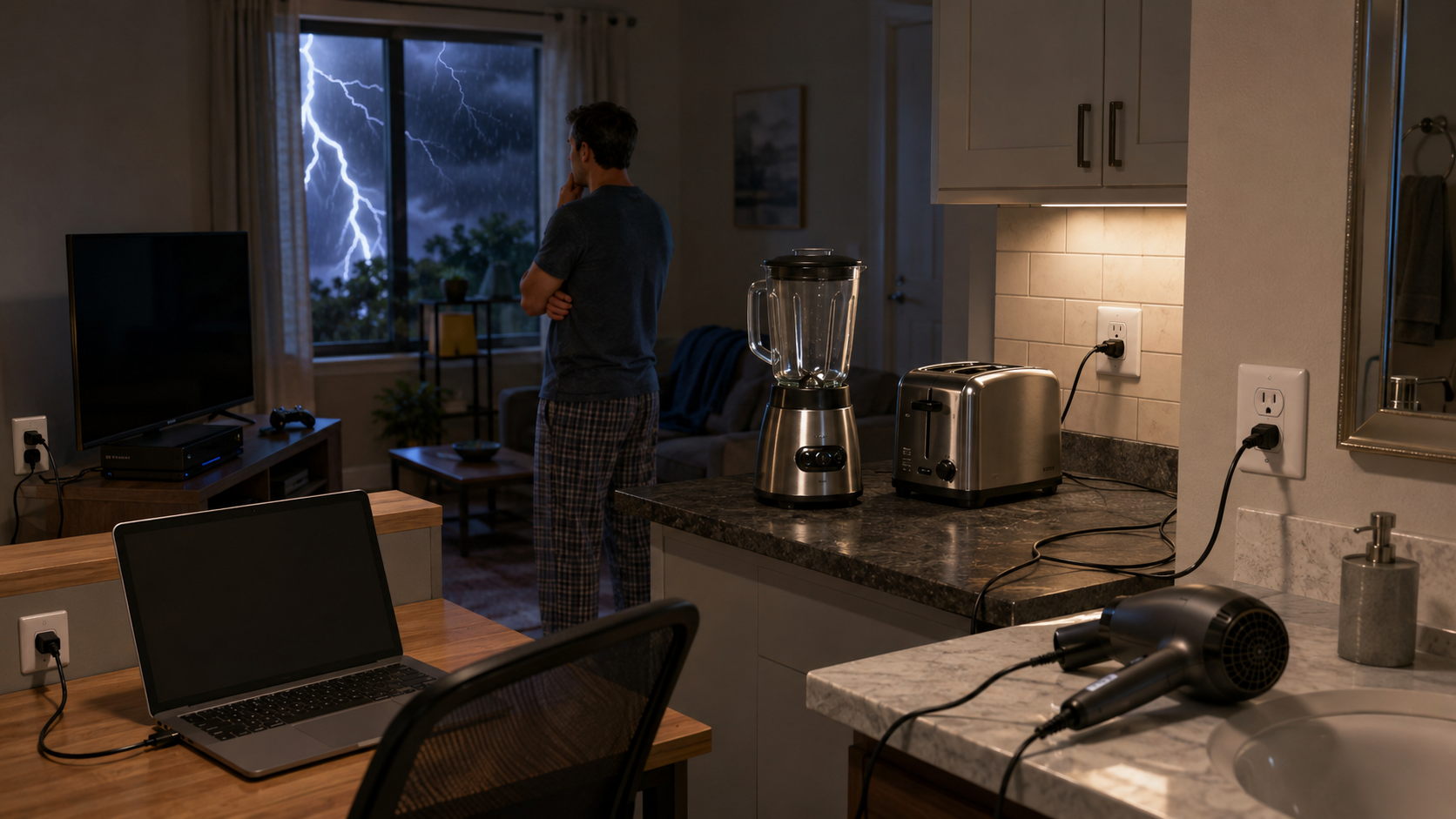
Electrical Appliances to Avoid Indoors During a Lightning Storm
Minjin Park
·
Lightning can affect more than outdoor spaces. Learn which indoor electrical appliances and devices to avoid during a thunderstorm, why they matter, and how to stay safer at home.
Why Indoor Lightning Safety Matters More Than People Think
When most people think about lightning safety, they picture someone standing under a tree, walking across an open field, or holding an umbrella outside during a storm. That makes sense, because being outdoors during lightning is obviously risky.
But indoor safety matters too.
Being inside a home, apartment, office, or hotel usually gives you much better protection than being outside. Still, lightning can travel in ways that surprise people. It can move through electrical wiring, plumbing, phone lines, cable lines, metal pipes, and connected devices.
That does not mean you need to panic every time thunder rolls. It simply means that during an active thunderstorm, a few ordinary habits are worth pausing.
Using a corded appliance, standing near plugged-in electronics, charging your phone, doing laundry, or taking a shower during lightning may feel normal. But those everyday actions can put you closer to paths that electrical energy may follow if lightning strikes nearby.
The good news is simple: indoor lightning safety is mostly about timing. Wait until the storm passes, unplug a few vulnerable devices when you can do so safely, and avoid direct contact with wired systems during the worst of the storm.
How Lightning Can Reach Indoor Electrical Devices
Lightning does not need to strike your home directly to cause problems. A strike nearby can send a powerful surge through utility lines, cable lines, internet wiring, or plumbing systems.
Electrical Wiring
Your home’s electrical system connects many rooms, outlets, switches, and appliances. If lightning causes a surge on the electrical line, that surge may travel through wiring and into plugged-in devices.
This is one reason electronics can fail after a thunderstorm, even if the house itself looks completely fine.
Phone, Cable, and Internet Lines
Older corded phones, cable boxes, modems, routers, and desktop computers may all be connected to outside lines in some way. During a storm, these connections can become pathways for electrical surges.
Wireless devices are generally safer to use than corded ones, as long as they are not plugged in and charging.
Plumbing and Metal Fixtures
This article focuses on electrical appliances, but it is helpful to remember that lightning safety indoors is not only about outlets. Plumbing can also conduct electricity. That is why people are often told to avoid showers, baths, sinks, and washing dishes during a lightning storm.
In real life, these systems overlap. A washing machine, for example, is connected to both electricity and water lines. That makes it a good appliance to leave alone until the storm has moved on.
Appliances and Devices to Avoid During Lightning
You do not have to unplug your entire house every time it rains. But when thunder is close and lightning is active, it is smart to avoid using appliances that keep you in direct contact with electricity, wiring, water lines, or large plugged-in equipment.
Corded Phones
Corded phones are one of the classic indoor lightning hazards. They connect directly to wiring that may run outside the home or through utility systems.
Many people no longer use landline phones, but some homes, offices, older apartments, and small businesses still have them.
During a thunderstorm, avoid holding or using a corded phone. A mobile phone is a better option, as long as it is not plugged into a charger.
A common mistake is thinking, “It’s just a quick call.” But lightning safety is not about how long the call lasts. It is about whether you are touching a connected system at the wrong moment.
Desktop Computers
Desktop computers are usually plugged into an outlet, connected to monitors, speakers, printers, routers, or Ethernet cables. That creates several possible paths for a power surge.
If a storm is approaching and you have time, save your work and shut the computer down. If lightning is already very close, do not rush around unplugging cables. Just stop using the device and move away from the desk area.
Laptops are different. A laptop running on battery power is generally a safer choice than a plugged-in desktop. But once the laptop is charging, it is connected to the home’s electrical system.
TVs and Home Theater Systems
Televisions are often connected to power outlets, cable lines, antennas, streaming boxes, gaming consoles, and sound systems. That makes them vulnerable to surge damage during storms.
Many people keep watching TV during thunder because they are already indoors and comfortable. It feels harmless, especially if the storm is outside and the living room feels cozy.
But if lightning is close, the safer habit is to turn off the TV and avoid touching connected equipment. This includes cable boxes, game consoles, soundbars, and wall-mounted systems.
Surge protectors can help reduce damage from smaller surges, but they are not a guarantee against a strong lightning-related surge.
Modems, Routers, and Internet Equipment
Internet equipment is easy to forget because it quietly sits in a corner, closet, office, or shelf. But modems and routers may connect to power, cable lines, fiber equipment, Ethernet cables, or phone lines.
If storms are common in your area, consider using surge protection for your networking equipment. Some people also unplug modems and routers before a severe storm arrives, especially if they live in a lightning-prone region.
During an active storm, avoid handling the equipment, moving cables, or repeatedly plugging and unplugging devices.
A simple prevention habit is to unplug sensitive electronics before you leave home if severe thunderstorms are forecast. That way, you are not trying to do it while lightning is already nearby.
Chargers and Plugged-In Phones
Using a phone indoors during a storm is usually not the issue. The bigger concern is using it while it is plugged into the wall.
A phone, tablet, or laptop charger connects your device to the electrical system. If a surge enters through the wiring, that charger and device may be affected.
During lightning, let your phone run on battery. Avoid holding it while it is plugged in. The same goes for tablets, e-readers, wireless earbuds, portable game devices, and laptops.
This is one of the easiest habits to fix. Charge your devices before storms arrive when possible, then unplug and use battery power during the storm.
Washing Machines and Dryers
Laundry might not seem dangerous, but washers and dryers are connected to major household systems.
A washing machine uses electricity and water. A dryer uses electricity or gas, and many dryers have metal venting. Because of these connections, laundry can wait until the storm passes.
Avoid starting a load, moving wet clothes, touching controls, or leaning against the appliance during active lightning.
This is especially important in basements, garages, utility rooms, and laundry closets where people may be standing on concrete floors or near other metal systems.
A practical rule: if you hear thunder, do not start laundry. If a cycle is already running, leave it alone and come back later.
Dishwashers
Dishwashers are another appliance connected to both electricity and plumbing. Many people start the dishwasher during evening storms because it feels like a background chore.
It is better to wait.
Avoid loading, unloading, pressing buttons, or touching the dishwasher during lightning. The same goes for garbage disposals, instant hot water systems, and other kitchen appliances connected to plumbing or power.
The risk is still low compared with standing outside, but it is an easy risk to avoid.
Electric Stoves, Ovens, and Small Kitchen Appliances
Cooking during a thunderstorm can be tricky because not all kitchen tasks are the same.
Using a gas stove may not involve the same electrical contact as using a plugged-in appliance, but many modern stoves still have electric ignition, digital panels, timers, lights, or ventilation systems.
Electric stoves, toaster ovens, air fryers, stand mixers, blenders, coffee makers, electric kettles, rice cookers, and microwaves all connect directly to outlets.
During active lightning, avoid using or touching plugged-in kitchen appliances. If you were about to make coffee or heat leftovers, it can wait a little while.
A common mistake is standing at the counter using several devices at once: phone charging nearby, microwave running, toaster plugged in, and hands near the sink. During calm weather, that is normal. During lightning, it is better to step away from that whole connected zone.
Microwaves
Microwaves are often used quickly, which makes people underestimate them.
“I’ll just heat this for 30 seconds” is a common thought. But again, lightning safety is less about the amount of time and more about contact with plugged-in equipment.
During a thunderstorm, avoid using the microwave. Do not stand close to it waiting for food. Do not touch the control panel while lightning is active nearby.
This is also a good reminder not to use storms as a time to troubleshoot appliances. If your microwave, oven, or refrigerator makes a strange noise after a storm, wait until conditions are safe before inspecting anything.
Hair Dryers, Curling Irons, and Bathroom Appliances
Bathroom appliances deserve extra caution because bathrooms combine electricity, water, plumbing, and metal fixtures in a small space.
Avoid using hair dryers, curling irons, electric razors, heated brushes, electric toothbrush chargers, or plugged-in grooming tools during a lightning storm.
It is also better to delay showers, baths, and sink-based grooming until the storm has moved away.
This can feel inconvenient, especially in the morning when people are getting ready for work or school. But it is one of the simplest ways to avoid unnecessary contact with electrical and plumbing systems.
Power Tools and Garage Equipment
Garages and workshops often contain high-powered electrical equipment. Drills, saws, battery chargers, air compressors, pressure washers, shop vacs, and extension cords may all be in use during home projects.
Thunderstorms are a good time to stop.
Avoid power tools, garage door equipment, plugged-in battery chargers, and extension cords during lightning. Concrete floors, metal tools, and large equipment can make the environment less forgiving.
If you are working in a garage with the door open and thunder begins, close up safely and move indoors, away from electrical equipment and open doors.
What About Surge Protectors?
Surge protectors are useful, but they are often misunderstood.
A quality surge protector can help protect electronics from smaller power spikes. It may reduce damage from certain electrical surges. But it cannot make a device completely lightning-proof.
That means a surge protector is not permission to keep using plugged-in electronics during a storm.
Think of surge protectors as part of a prevention plan, not a personal safety shield. They are especially useful for computers, TVs, modems, routers, gaming consoles, and home office equipment.
For better protection, some homeowners consider whole-house surge protection installed by a qualified professional. Even then, basic storm habits still matter.
Common Indoor Lightning Mistakes
Waiting Until Lightning Is Directly Overhead
Many people wait until the storm feels intense before changing what they are doing. But if you can hear thunder, lightning is close enough to take seriously.
You do not need to panic or rush. Just pause unnecessary contact with plugged-in appliances and wired systems.
Unplugging Devices Too Late
Unplugging electronics before a storm is helpful. Unplugging them during active lightning can be a different story.
If lightning is already close, do not run around pulling cords from the wall. Touching plugs, outlets, and cords during a storm may put you in contact with the very system you are trying to avoid.
The better habit is to unplug sensitive electronics earlier, when you know storms are coming.
Using a Charging Phone in Bed
This is a very common modern habit. A storm rolls in at night, and someone stays in bed scrolling on a phone that is plugged into the wall.
During lightning, unplug the charger and use battery power instead. It is simple, comfortable, and safer.
Doing “Just One Quick Chore”
Starting the dishwasher, tossing clothes into the dryer, reheating food, or blow-drying hair may feel quick. But storms usually pass in a reasonable amount of time.
When thunder is active, quick chores can wait.
Simple Steps to Make Your Home Safer During Storms
Before the Storm
Check the forecast when storms are expected in your area. Charge phones, laptops, and battery packs ahead of time.
Unplug sensitive electronics if severe storms are likely and you can do it safely before lightning arrives. This may include TVs, computers, gaming systems, routers, and small appliances.
Avoid leaving expensive electronics connected to wall outlets during strong storms when you are away from home.
During the Storm
Stay indoors and away from plugged-in appliances, corded phones, plumbing, and metal fixtures.
Use mobile devices on battery power. Avoid charging them until the storm passes.
Pause laundry, dishwashing, cooking with electric appliances, grooming with plugged-in tools, and home workshop projects.
Let appliances finish later. Do not inspect, repair, or reset electrical devices while lightning is active.
After the Storm
Once the thunder has passed and conditions are calm, you can return to normal activities.
Check electronics only when it is safe to do so. If something smells burnt, sparks, trips breakers repeatedly, or behaves strangely, stop using it and have it checked by someone qualified.
For everyday prevention, consider surge protectors for sensitive electronics and keep important devices charged during storm season.
Warning Signs That Mean You Should Step Away From Electronics
Most thunderstorms pass without causing any indoor electrical problems. Still, there are signs that should make you stop using a device right away.
These include flickering lights, a sudden burning smell, buzzing outlets, popping sounds from electronics, sparks, repeated breaker trips, or devices turning off and on unexpectedly.
Do not try to diagnose the problem during the storm. Step away from the device and wait until conditions are safe.
Even if nothing dramatic happens, it is still wise to avoid touching connected appliances while thunder is nearby.
A Practical Room-by-Room Lightning Safety Mindset
Living Room
Turn off the TV if lightning is close. Avoid touching cable boxes, gaming consoles, speakers, and plugged-in chargers.
Use your phone on battery if you want to check weather updates.
Kitchen
Avoid the microwave, electric kettle, toaster, blender, dishwasher, garbage disposal, and sink area during active lightning.
A snack can wait. So can the dishes.
Bathroom
Skip the hair dryer, electric razor, curling iron, and shower until the storm has passed.
Bathrooms combine too many connected systems to be worth using during lightning.
Laundry Room
Do not start or handle laundry during thunder. Washers and dryers can wait.
If machines are already running, leave them alone until the storm is over.
Home Office
Save your work if the storm is approaching. Use laptops on battery. Avoid desktops, printers, Ethernet cables, and plugged-in chargers during lightning.
Final Thoughts: Small Pauses Can Make Storms Safer
Corded phones, plugged-in computers, TVs, chargers, washing machines, dishwashers, microwaves, bathroom appliances, and power tools are all worth avoiding during active lightning.
Most of the time, the safest choice is also the easiest one: wait.
Let your phone run on battery. Leave the laundry for later. Skip the microwave for a few minutes. Stay away from outlets, cords, plumbing, and large plugged-in appliances until the thunder has moved on.
A thunderstorm does not have to disrupt your whole day. But a few calm, practical habits can help protect your home, your devices, and the people inside it.
Hi, I’m the creator and editor behind ZestyHabit. I research everyday safety, first aid, and practical wellness topics using official guidance and reliable public sources, then turn that information into clear, realistic steps for daily life.
My goal is to help readers make safer, better-informed choices at home and beyond.