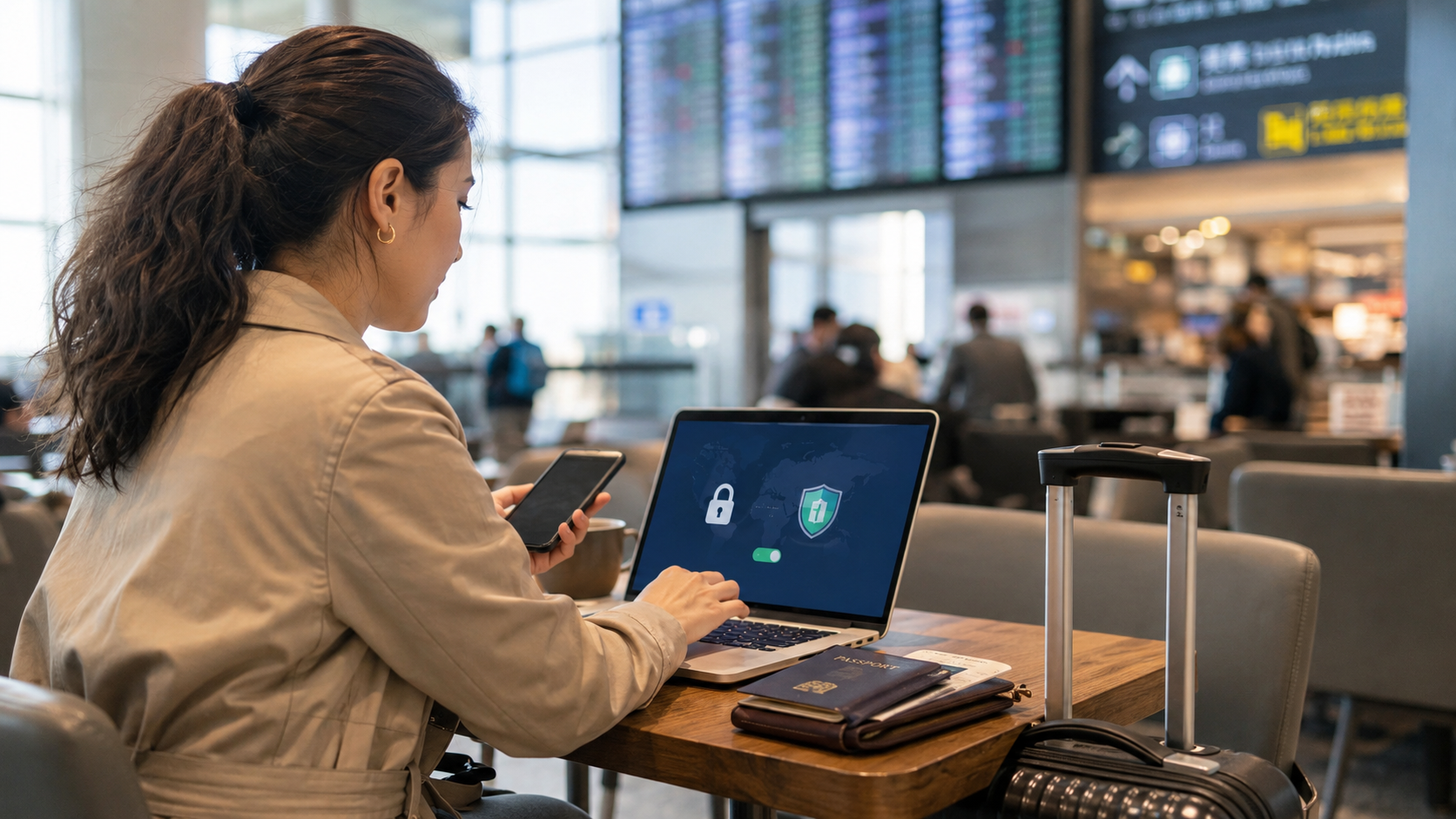
How to Use Public Wi-Fi Safely While Traveling Abroad
Minjin Park
·
Public Wi-Fi can be helpful during international travel, but it also comes with privacy and security risks. Learn simple habits to protect your accounts, devices, and personal information while using airport, hotel, and café Wi-Fi abroad.
When you are traveling abroad, public Wi-Fi can feel like a lifesaver.
You land at the airport and need to message your family. You arrive at a hotel and want to check your reservation. You sit down at a café and need directions to the next stop. You are trying to avoid roaming charges, save mobile data, or make your phone battery last longer.
In those moments, a free Wi-Fi sign feels very welcome.
But public Wi-Fi should be used with a little caution, especially when you are far from home. Airports, train stations, hotels, coffee shops, restaurants, museums, and shopping centers often offer convenient networks, but not every network is equally secure. Some may be poorly protected. Some may be crowded with unknown users. Some may even be fake networks created to look like the real one.
This does not mean you should never use public Wi-Fi while traveling. It simply means you should treat it as a shared space, not a private one.
A few simple habits can help you stay connected without handing over more information than necessary.
What Makes Public Wi-Fi Riskier Than Your Home Network?
At home, you usually know who controls the network. You have a password, a router, and a familiar internet connection. Public Wi-Fi is different.
You may not know who set it up, how well it is maintained, or who else is connected. In a busy airport or hotel lobby, dozens or hundreds of people may be using the same network. Some are ordinary travelers. Others may be looking for easy ways to collect information from careless users.
The main concern is not that every public Wi-Fi network is dangerous. The concern is that you have less control.
When you connect to a public network, you need to be more careful about what you log into, what information you send, and which network you choose.
The “Free Wi-Fi” Trap: Fake Network Names
One of the easiest mistakes travelers make is connecting to the first network that looks right.
At an airport, you might see names like “Airport_Free_WiFi,” “Guest_WiFi,” “Free_Public_WiFi,” or the name of a nearby café. Some may be real. Others may not be.
A fake network can be named almost anything. If a traveler connects quickly without checking, they may send traffic through a network controlled by someone else.
Before connecting, confirm the official network name. Ask the hotel desk, café staff, airport information counter, or check posted signs from the actual business. Be careful with networks that use generic names, strange spelling, or no password at all.
A network being free does not automatically make it unsafe, but a network being familiar-looking does not automatically make it legitimate either.
Use Mobile Data for Sensitive Tasks When You Can
Public Wi-Fi is fine for low-risk tasks like checking the weather, reading travel articles, looking at museum hours, or browsing restaurant menus.
But for sensitive tasks, mobile data is often a better choice.
If you need to check your bank account, pay a bill, enter passport information, access work files, or reset an important password, consider using your phone’s cellular connection instead of public Wi-Fi. If you have an international roaming plan, travel eSIM, or local SIM card, use that for anything personal or financial.
This is especially helpful when you are not sure whether the public network is official or secure.
A simple rule works well: use public Wi-Fi for convenience, not for your most sensitive information.
Look for HTTPS Before Entering Personal Information
When you visit a website, look for “https” and the lock symbol in the browser’s address bar. This means the connection between your browser and that website is encrypted.
Most major websites use HTTPS now, which is good news for travelers. But it is still worth checking before logging in, entering payment details, or filling out forms.
Be cautious if a page warns that the connection is not private, the certificate is invalid, or the site cannot be verified. Do not click through warnings just because you are in a hurry.
Also remember that apps are harder to check than websites. You may not always know how an app handles its connection. For sensitive activity, mobile data or a trusted VPN can add another layer of protection.
Consider Using a VPN, Especially If You Travel Often
A VPN, or virtual private network, can help protect your internet traffic when you are using public Wi-Fi. It creates an encrypted connection between your device and the VPN service, making it harder for others on the same network to see what you are doing.
A VPN is not a magic shield. It does not protect you from every scam, fake website, weak password, or phishing message. But it can be a helpful tool, especially if you regularly use Wi-Fi in airports, hotels, conference centers, or cafés.
Choose a reputable VPN before your trip. Do not wait until you are already on a questionable network to download one. Read reviews, understand the cost, and make sure it works on your devices.
Also be aware that VPN rules can vary by country. If you are traveling internationally, check local expectations and restrictions before relying on one.
Turn Off Auto-Connect
Phones and laptops often remember Wi-Fi networks and reconnect automatically. At home, this is convenient. While traveling, it can be risky.
If your device automatically joins open networks, you may connect without realizing it. You may also connect to a network with a name similar to one you used before.
Before traveling, go into your Wi-Fi settings and turn off automatic connection to unknown or open networks. After using a hotel or café network, consider selecting “forget this network” when you no longer need it.
This keeps your device from quietly reconnecting later in a place where you are not paying attention.
Avoid Logging Into Too Many Accounts
Travel can make you log into everything.
Your airline app wants an update. Your hotel account asks for a password. Your email needs verification. Your bank sends a code. Your cloud storage wants access. Your social media account signs you out at the worst time.
The more accounts you open on public Wi-Fi, the more chances you create for mistakes.
When possible, handle important logins before you leave home or while using a trusted connection. Download boarding passes, maps, hotel addresses, tickets, and reservation details ahead of time. Take screenshots that can be accessed offline.
The less you need to log in on the road, the easier travel becomes.
Use Strong Passwords and Two-Factor Authentication
Good account habits matter even more when traveling.
Use strong, unique passwords for important accounts. A password manager can help you avoid reusing the same password across email, banking, shopping, and travel sites.
Turn on two-factor authentication for key accounts such as email, banking, cloud storage, and travel booking accounts. This gives you an extra layer of protection if a password is ever exposed.
Before traveling, make sure your two-factor method will work abroad. If your codes are sent by text message, confirm that your phone plan can receive messages internationally. An authentication app may be more reliable in some situations.
A few minutes of setup before the trip can save a lot of stress later.
Keep Devices Updated Before You Leave
Software updates are easy to postpone. But updates often fix security weaknesses, not just add new features.
Before traveling, update your phone, laptop, tablet, browser, and important apps. Do this at home or on a trusted network, not while sitting in an airport trying to board.
Also make sure your device has a screen lock. Use a strong passcode, fingerprint, or face unlock. If your device is lost or stolen during travel, a lock screen gives you basic protection.
Public Wi-Fi safety is not only about the network. It is also about the device you bring with you.
Turn Off File Sharing and AirDrop-Style Features
On public networks, you do not want your device to be more open than necessary.
Before connecting to public Wi-Fi, turn off file sharing, printer sharing, and device discovery features if you do not need them. On laptops, choose the “public network” setting rather than treating the connection like a trusted home or office network.
For phones, adjust sharing features so strangers cannot send files or requests to your device. If you use AirDrop or similar tools, set them to contacts only or turn them off when not needed.
These settings are easy to forget, but they help reduce unnecessary exposure.
Be Careful With Hotel Wi-Fi
Hotel Wi-Fi feels more trustworthy than random street Wi-Fi, but it is still public or semi-public.
Many guests use the same network. Passwords may be shared widely. Some hotels use simple room-number logins, and some networks remain unchanged for long periods.
Use hotel Wi-Fi thoughtfully. It is fine for streaming, browsing, maps, and casual use. For sensitive tasks, consider mobile data or a VPN.
Also be careful with hotel login pages. Make sure you are connecting to the official network, especially in large hotels where multiple networks may appear. If you are unsure, ask the front desk for the exact network name and login process.
Be Careful With Airport and Train Station Wi-Fi
Airports and train stations are places where people are distracted, tired, and in a hurry. That makes them common places for careless Wi-Fi habits.
You may be juggling luggage, checking gate changes, charging your phone, and trying to message family. In that rush, it is easy to connect to the wrong network or click through warnings.
Use airport Wi-Fi for basic travel needs, but slow down before logging into important accounts. If a network asks for unusual information, such as a passport number or payment details for “free” access, pause and verify that it is legitimate.
When in doubt, use mobile data for anything private.
Watch Out for Captive Portals and Pop-Ups
Many public Wi-Fi networks use a captive portal. This is the page that appears when you connect and asks you to accept terms, enter a room number, or provide an email address.
Captive portals are common and often legitimate. But travelers should still be cautious.
Do not download random software just to access Wi-Fi. Do not install certificates or profiles unless you fully understand why they are needed. Do not enter more personal information than necessary.
If the login page looks suspicious, full of spelling errors, or asks for sensitive information that seems unrelated to Wi-Fi, disconnect and ask staff for help.
Do Not Shop or Bank Casually on Public Wi-Fi
It is easy to do travel shopping on public Wi-Fi. You may book a last-minute hotel, buy train tickets, order rideshare credits, or pay for a tour.
If you must make a purchase, use trusted apps or websites, check for HTTPS, and avoid saving payment information on shared or unfamiliar devices. Better yet, use mobile data for payment tasks when possible.
Do not access banking or financial accounts on public Wi-Fi unless you have a secure setup and a real need. For most travelers, it can wait until a more trusted connection is available.
Convenience is nice, but not every task needs to happen immediately.
Avoid Public Computers for Personal Accounts
Some hotels, hostels, libraries, and business centers offer shared computers. They can be useful for printing boarding passes or checking basic information.
But avoid logging into personal email, banking, cloud storage, or sensitive accounts on public computers if you can. You do not know what software is installed, whether the browser saves information, or who used the computer before you.
If you must use a shared computer, avoid saving passwords, log out fully, and close the browser when finished. For anything important, your own device is usually safer.
Keep an Eye on Physical Privacy Too
Wi-Fi security is not only technical. Sometimes the risk is simply someone looking over your shoulder.
In airports, cafés, buses, and hotel lobbies, people may be close enough to see your screen. Be careful when entering passwords, passport details, credit card numbers, or verification codes.
Sit with your back to a wall when possible. Lower screen brightness if needed. Use a privacy screen if you work while traveling. Avoid reading sensitive documents in crowded areas.
A secure connection does not help much if someone can see the information directly.
What to Do Before Your Trip
A little preparation makes public Wi-Fi safer and less stressful.
Download offline maps.
Save hotel addresses and reservation numbers.
Update your devices and apps.
Install a trusted VPN if you plan to use one.
Turn on two-factor authentication.
Check your mobile data or eSIM plan.
Save important phone numbers offline.
Set devices to avoid auto-joining unknown networks.
Download tickets, boarding passes, and travel documents.
This setup means you will not need to depend on public Wi-Fi for every little problem.
A Simple Public Wi-Fi Routine While Traveling
When you need to connect, use a calm routine.
First, confirm the official network name.
Second, avoid networks with suspicious or generic names.
Third, connect only when you actually need to.
Fourth, use HTTPS websites and trusted apps.
Fifth, avoid banking, major purchases, and sensitive logins when possible.
Sixth, use a VPN if you have one and it is appropriate for the country you are visiting.
Seventh, disconnect and forget the network when you are finished.
This takes only a few seconds once it becomes a habit.
Warning Signs to Take Seriously
Disconnect from public Wi-Fi if something feels off.
Warning signs include repeated security warnings, strange pop-ups, requests to download unknown software, login pages asking for excessive personal information, websites that look different from usual, or apps behaving strangely after connecting.
Also be cautious if the connection keeps redirecting you to unfamiliar pages or if the network name is almost identical to another official network but not quite the same.
You do not need to investigate. Just disconnect and use another option.
Calm Takeaways for Safer Travel
Public Wi-Fi can be useful when you are traveling abroad. It helps with maps, messages, reservations, translation, and everyday planning. You do not need to avoid it completely.
The key is to use it with realistic expectations.
Confirm the network name before connecting. Avoid sensitive tasks when possible. Use mobile data for banking, payments, and personal accounts. Keep your device updated. Turn off auto-connect. Consider a VPN if you travel often. Be careful with hotel, airport, and café networks, especially when you are tired or rushed.
Travel is already full of small decisions. Public Wi-Fi safety does not have to be complicated. A few steady habits can help you stay connected while protecting your accounts, your personal information, and your peace of mind while you enjoy the trip.
Hi, I’m the creator and editor behind ZestyHabit. I research everyday safety, first aid, and practical wellness topics using official guidance and reliable public sources, then turn that information into clear, realistic steps for daily life.
My goal is to help readers make safer, better-informed choices at home and beyond.