
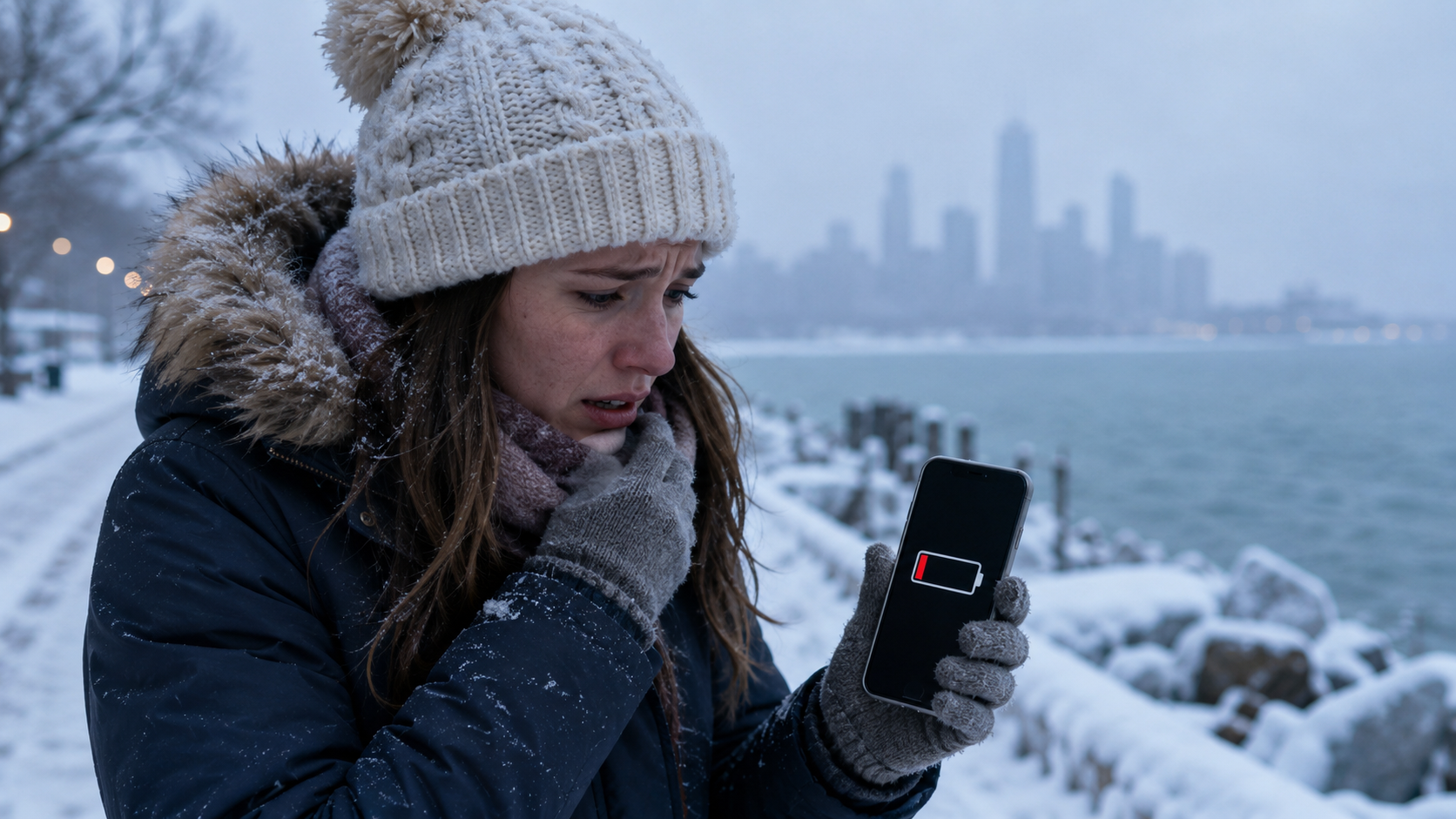
Cold weather can make your phone battery drain faster, shut down unexpectedly, or charge more slowly. Learn why it happens and how to protect your smartphone during winter.

Why Cold Weather Affects Your Phone More Than You Think
If you have ever pulled out your phone on a cold winter day and watched the battery percentage drop faster than usual, you are not imagining it.
Maybe your phone was at 42% when you left the house, but after a short walk outside, it suddenly showed 18%. Or maybe it shut off while you were trying to take a photo, check directions, or call someone. Then, once you brought it indoors and warmed it up, the battery seemed to come back to life.
This can feel confusing, especially if your phone normally works fine. But cold weather really can affect smartphone batteries.
Most modern smartphones use lithium-ion batteries. These batteries work well in everyday conditions, but they do not love extreme temperatures. Cold air slows down the chemical reactions inside the battery, making it harder for the phone to pull out energy efficiently.
For most people, this is not a reason to panic. Your phone probably is not “broken” just because the battery acts strange in the cold. But it is a good reason to understand what is happening and build a few smart winter habits.
When you rely on your phone for maps, rideshares, payments, emergency contacts, weather alerts, or travel updates, battery life becomes part of everyday safety.
How Smartphone Batteries Normally Work
To understand why cold weather drains your phone battery faster, it helps to know the basics.
You do not need to be a tech expert. The simple version is this: your phone battery stores energy through chemical reactions. When your phone is turned on, those reactions allow electricity to flow and power the device.
Lithium-Ion Batteries Depend on Chemical Movement
Inside a lithium-ion battery, tiny charged particles move between parts of the battery during charging and discharging. This movement helps store and release energy.
When the temperature is comfortable, this process happens smoothly. Your phone can use the stored energy at a steady rate.
But when the battery gets cold, that movement slows down. The battery may still have charge inside it, but it becomes harder for your phone to access that energy.
That is why a cold phone can seem like it is losing power quickly even when the battery is not truly empty.
Cold Weather Increases Internal Resistance
Cold temperatures also increase what is called internal resistance inside the battery. In everyday terms, the battery has to work harder to deliver power.
Your phone may respond by showing a lower battery percentage, slowing performance, or shutting down to protect itself.
This is especially noticeable when your phone is doing something demanding, like recording video, using GPS, running mobile data, or taking photos in burst mode.
The battery may not be able to provide enough power quickly in the cold, even if it had plenty of charge a few minutes earlier.
Why Your Battery Percentage Drops So Suddenly
One of the most frustrating cold-weather phone problems is the sudden battery drop.
You might see your phone go from 50% to 20% in minutes. In some cases, it may shut off even though the screen showed a decent battery level.
The Battery Gauge Can Become Less Accurate
Your phone estimates battery percentage based on voltage and other signals. Cold weather can affect those signals.
When the battery is cold, the voltage can drop temporarily. Your phone may interpret that as low battery, even though the battery still has usable energy.
Once the phone warms up, the voltage may recover. That is why your phone might turn back on indoors and show more battery than it had outside.
It can seem like the battery magically refilled itself, but it did not really recharge. It simply warmed enough for the phone to read and use the battery more normally again.
Older Batteries Are More Sensitive
If your phone is a few years old, cold weather may affect it more strongly.
Over time, lithium-ion batteries lose some of their capacity. They also become less able to handle sudden power demands. Cold weather adds another layer of stress.
That is why an older phone may shut down in winter while a newer phone beside it keeps working.
This does not always mean you need a new phone. Sometimes replacing the battery can improve performance. But if your phone shuts down often in mild cold, it may be a sign that the battery is aging.
Common Situations Where Cold Drains Your Phone Faster
Cold-weather battery problems often show up during normal daily activities.
Taking Photos or Videos Outside
Winter photos are beautiful. Snowy streets, holiday lights, mountain views, and outdoor events all make people reach for their phones.
But the camera uses a lot of power, especially when recording video. If your phone is already cold, the battery may struggle to keep up.
This is why phones often shut down while taking pictures at ski resorts, winter festivals, outdoor sports games, or scenic overlooks.
Using GPS in Cold Weather
Navigation is another battery-heavy task. GPS, mobile data, screen brightness, and map updates all use energy.
If you are walking in an unfamiliar city, hiking in cold weather, or waiting for a rideshare outside, your phone may drain faster than expected.
This matters because directions are one of the main reasons people need their phone when they are away from home.
Leaving Your Phone in a Cold Car
A phone left in a cold car can cool down quickly, especially overnight.
Even if it had a good charge when you left it, the battery may perform poorly when you return. The screen may respond slowly, the battery percentage may look low, or the phone may shut down.
Cold cars are also common places where people leave backup phones, tablets, or power banks. Those devices can be affected too.
Carrying Your Phone in an Outer Pocket
If your phone is in a coat pocket that faces the outside air, it may get much colder than you realize.
A phone stored in an inner pocket, closer to your body, usually stays warmer. That small change can make a real difference during winter errands, commuting, or outdoor activities.
Why Cold Weather Can Make Charging Slower
Battery drain is not the only issue. Cold weather can also affect charging.
Phones May Limit Charging in Cold Conditions
Many smartphones are designed to protect the battery when temperatures are too low or too high. If the phone is very cold, it may charge slowly or refuse to charge until it warms up.
This can be annoying, but it is a protective feature.
Charging a very cold battery can be stressful for the battery’s chemistry. Your phone may delay charging to reduce the chance of long-term damage.
Warm the Phone Before Charging
If your phone has been outside in freezing weather, bring it indoors and let it warm up gradually before plugging it in.
Do not put it directly on a heater, near a fireplace, under a hair dryer, or on a hot surface. Sudden temperature changes can create other problems, including condensation.
A better approach is simple: keep it at room temperature for a little while, then charge it normally.
Everyday Safety Reasons This Matters
A fast-draining phone battery is more than a tech annoyance.
For many people, a smartphone is a practical safety tool. It helps you call family, check directions, pay for transportation, receive weather alerts, contact roadside assistance, and access important information.
Winter Travel Depends on Reliable Battery Life
Cold-weather battery problems can be especially inconvenient during travel.
Imagine standing outside an airport pickup area, trying to call your ride, and your phone shuts off. Or using your phone for digital boarding passes while your battery drops quickly. Or walking through a new city and losing access to maps.
These are not extreme situations. They are normal winter travel moments.
A few battery-saving habits can help you avoid unnecessary stress.
Outdoor Activities Use More Power
Skiing, snowboarding, hiking, camping, ice skating, winter fishing, and outdoor sports can all put your phone in cold conditions for long periods.
Even if you only use your phone occasionally, the cold can reduce performance. If you are also taking photos, checking trail maps, or using location sharing, the battery may drain faster.
For outdoor activities, it is wise to plan as if your phone battery will not last as long as it normally does.
Common Mistakes People Make With Phones in the Cold
Most cold-weather phone problems happen because people treat winter phone use the same as normal phone use.
Mistake 1: Starting the Day With a Low Battery
Leaving home with 20% battery may be fine on a mild day. In cold weather, it gives you very little margin.
If you know you will be outside for a while, start with a higher charge. This is especially important when traveling, commuting, or attending outdoor events.
Mistake 2: Holding the Phone Out Too Long
It is easy to stand outside scrolling, taking photos, texting, or checking maps. But the longer the phone is exposed to cold air, the more the battery may struggle.
Use the phone when needed, then put it back in a warm pocket.
Mistake 3: Leaving the Screen Brightness High
Winter sunlight reflecting off snow can make people turn up screen brightness. But high brightness uses more power.
If your battery is already stressed by cold, a bright screen can drain it even faster.
Mistake 4: Charging a Freezing-Cold Phone Right Away
Plugging in a very cold phone immediately is not always ideal. If the phone has been outside for a long time, let it return closer to room temperature before charging.
Again, avoid forced heat. Gradual warming is safer for the device.
Mistake 5: Relying Only on a Phone for Everything
A smartphone is useful, but it should not be your only backup during winter travel.
If you are going somewhere unfamiliar, it can help to write down key addresses, keep a printed reservation, carry a physical card, or let someone know your route.
These small habits are not old-fashioned. They are practical backups.
Warning Signs Your Phone Is Too Cold
Your phone may give you clues before it shuts down.
The Battery Drops Quickly
A sudden drop in battery percentage during cold exposure is a common sign that the battery is struggling.
If this happens, put the phone somewhere warmer and reduce power-heavy use.
The Screen Responds Slowly
Cold can make screens less responsive. Touch input may feel delayed, or the display may seem sluggish.
This does not always mean permanent damage. It may simply mean the phone is too cold to work normally.
The Phone Shuts Off Unexpectedly
If your phone powers down even though it showed remaining battery, cold temperature may be the reason.
Warm it gradually before trying to use or charge it.
Charging Pauses or Seems Slow
If your phone does not charge normally after being in the cold, give it time indoors. Many devices charge better once they return to a normal temperature range.
Simple Ways to Protect Your Phone Battery in Cold Weather
The best winter phone habits are simple. You do not need special equipment for most everyday situations.
Keep Your Phone Close to Your Body
Store your phone in an inside coat pocket, pants pocket, or another place where body heat helps keep it warmer.
Avoid leaving it in an outer backpack pocket, stroller cup holder, car console, or exposed coat pocket for long periods.
Use Airplane Mode When You Do Not Need Service
If you are in a poor signal area, your phone may use extra power trying to connect. This can drain the battery faster, especially in cold weather.
When you do not need calls, texts, or data, airplane mode can help conserve power.
Lower Screen Brightness
Reducing brightness is one of the easiest ways to save battery. You can also use dark mode on many phones, though the benefit varies depending on the screen type.
For practical use, the main idea is simple: avoid using more screen power than needed.
Close Power-Hungry Apps
Navigation, camera, video recording, games, and social media apps can use a lot of battery.
If you are trying to preserve power, close apps you are not using and avoid long video recording sessions in the cold.
Use Low Power Mode
Most smartphones have a low power or battery saver mode. Turn it on before your battery gets critically low.
This can reduce background activity, limit performance, and help your phone last longer.
Carry a Portable Charger
A small power bank is useful in winter, especially for travel or outdoor events.
Keep the power bank warm too. Portable chargers also use lithium-ion batteries, so they can lose efficiency in the cold just like phones.
Use Wired Accessories When Helpful
Wireless earbuds and Bluetooth devices are convenient, but they can use extra battery. If you are trying to conserve power, limiting connected accessories may help.
This is a small difference, but during a long cold day, small differences can add up.
What to Do If Your Phone Dies in the Cold
If your phone shuts down outside, stay calm. In many cases, it may work again after warming up.
Move It to a Warmer Place
Put the phone in an inside pocket or bring it indoors. Let it warm gradually.
Do not place it directly against a very hot surface. Gentle warming is better.
Wait Before Turning It Back On
Give the phone time to recover before repeatedly pressing the power button. Trying again and again may not help if the battery is too cold to deliver power.
Once the phone warms up, try turning it on.
Charge Only After It Warms Up
If the battery is low, charge it after the phone has returned closer to room temperature.
If your phone shows a temperature warning, follow the on-screen message.
Winter Phone Habits for Commuters and Travelers
Cold-weather battery care is especially useful if you commute, travel, or spend time outdoors.
Before Leaving Home
Charge your phone more than usual.
Turn on low power mode if you expect a long day.
Download maps, tickets, or reservations ahead of time.
Pack a charger or power bank.
Save important phone numbers somewhere accessible.
While Outside
Keep your phone warm.
Use it in short sessions.
Avoid unnecessary video recording.
Lower the screen brightness.
Move to a sheltered spot if you need to use it for a while.
When You Get Indoors
Let the phone warm naturally.
Charge it after it has adjusted.
Check whether the battery percentage returns to normal.
If cold shutdowns happen often, consider checking your battery health.
When Battery Problems May Not Be Just the Cold
Cold weather can explain many winter phone issues, but not all of them.
If your phone drains quickly indoors, shuts down in mild temperatures, takes a very long time to charge, or shows poor battery health, the battery may be aging.
Most smartphones include a battery health section in settings. It can give you a general idea of whether the battery capacity has dropped.
A worn battery is not unusual, especially after a few years. If the phone still meets your needs, a battery replacement may be worth considering.
Final Thoughts: Keep Your Phone Warm and Plan Ahead
Cold weather can make your smartphone battery drain faster because lithium-ion batteries do not work as efficiently in low temperatures. The battery may struggle to deliver power, the percentage may drop suddenly, and the phone may even shut down before the battery is truly empty.
For everyday life, the solution is mostly about prevention.
Keep your phone close to your body, start cold days with a higher charge, use low power mode, avoid long exposure to freezing air, and carry a portable charger when you will be away from home.
Your phone is more than a convenience during winter. It helps with directions, communication, travel plans, and quick access to important information. A few simple habits can keep it working longer when you need it most.

Hi, I’m the creator and editor behind ZestyHabit. I research everyday safety, first aid, and practical wellness topics using official guidance and reliable public sources, then turn that information into clear, realistic steps for daily life.
My goal is to help readers make safer, better-informed choices at home and beyond.


